Trivia Quiz Game for Your Live Stream.
Run a live trivia game on YouTube, Facebook, Twitch or Instagram. Viewers answer by typing a comment in the live chat, and LiveReacting scores every answer and shows the results on the stream. Thanks to the native integration, you do not send your viewers anywhere else. They play right in the live chat, next to the live video, on the same page.
- Free to start
- 4.8 from 633 reviews 4.8 is the average of 633 customer reviews. They come from public review sites and from our own review system.




- 2145Streams broadcasting through LiveReacting right now. Value updated every hour from the actual database. Streams live right now
- 3M+Every stream published through LiveReacting since launch. Counted in the LiveReacting database on 11 September 2026. Streams published
- 39K+ Customers
- 99.998% Uptime


Your viewers answer in the live chat.
A question goes on the stream with a timer. Viewers type the option number or the answer itself as a comment. When the timer runs out, the results screen shows the correct answer and who got it.
-
No apps, no websites
Viewers comment on the live video they are already watching. LiveReacting keeps each viewer's first answer and ignores the rest.
-
Right answers, speed, or both
You choose how winners are picked: by correct answers, by score, or by both. Score rewards a faster answer. Read how the winners are calculated.
-
Results on the stream, analytics after
After every question the stream shows the correct answer and who picked what. After the game, your account keeps the full analytics: each question with its accuracy and response time, each player with their score and correct answers. Read the analytics guide.
A trivia game in the stream: 350 times more comments.
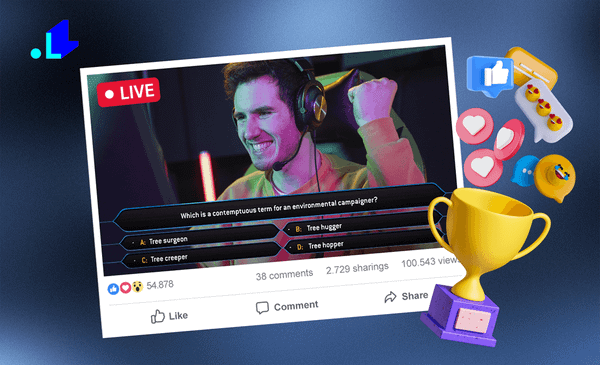
We compared each brand's trivia live stream with the average video on the same Facebook page. IMAX's trivia stream got 350 times more comments than its average video. These are their numbers, not a promise about yours.
| Brand | The trivia live stream | Against the average video on the same page |
|---|---|---|
| IMAX | 6K views, 2K comments | 350 times more comments |
| Air Asia | 100K views, 4K reactions | 60 times more comments |
| EL AL Airlines | 13K views, 2.6K comments | 19 times more page engagement |
| Myprotein | 26K views, 11.5K comments | 15 times more page engagement |
| Hobbii | 8.1K views, 21K comments | 5 times more engagement than their other live videos |
How this was counted: for each brand, we compared the comments and the engagement on the trivia live stream with the average of the other videos on the same Facebook page at the time of the stream, and for Hobbii with their other live videos. Every story is on the success stories page with its broadcast. See the success stories
Design the game to match your brand.
Write your own questions, pick them from the LiveReacting library, or import a spreadsheet. Then pick a design, set your colors and background, and choose the timer and the number of winners.
-
Your questions
Type them, pick them from the library by category, or import an .xlsx file. A question can carry a picture or a short video.
-
Your look
Three designs: Classic, Modern and Elegant. Set the text color, a background image and your logo on every screen.
-
Your rules
Set the timer for each question, how many winners to name, and whether a wrong answer knocks a player out of the game.
Run it on its own or present it yourself.
Run the game on its own, present it on camera from your browser, or add it to the streaming software you already use. The game keeps its own timers in all three.
Read the setup guide → Watch the video tutorial →


-
Without a host
Start the game and it runs itself: question, results, next question, on the timers you set. Nothing runs on your computer, so it can be off.
-
With you on camera
Add your camera and microphone in the studio, read the questions out and react to the answers as they come in.
-
Inside OBS, vMix, StreamYard or Ecamm
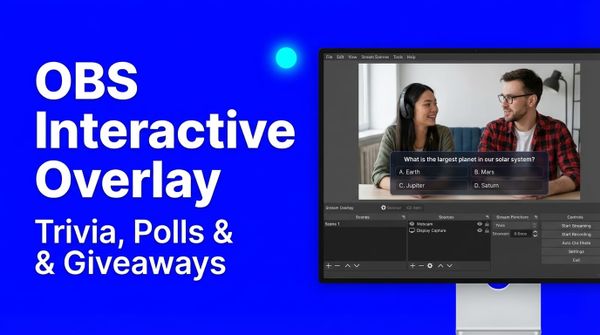
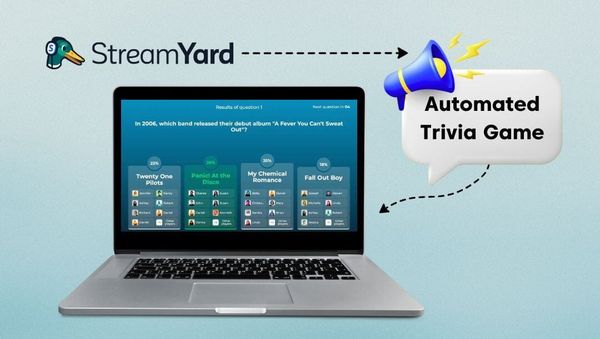
Plugin Mode gives the game a link. Add it to your scene as a browser source, and it appears over your picture while your software keeps sending the video. Read the Plugin Mode guide.
Game structure
The four screens of a game.
-
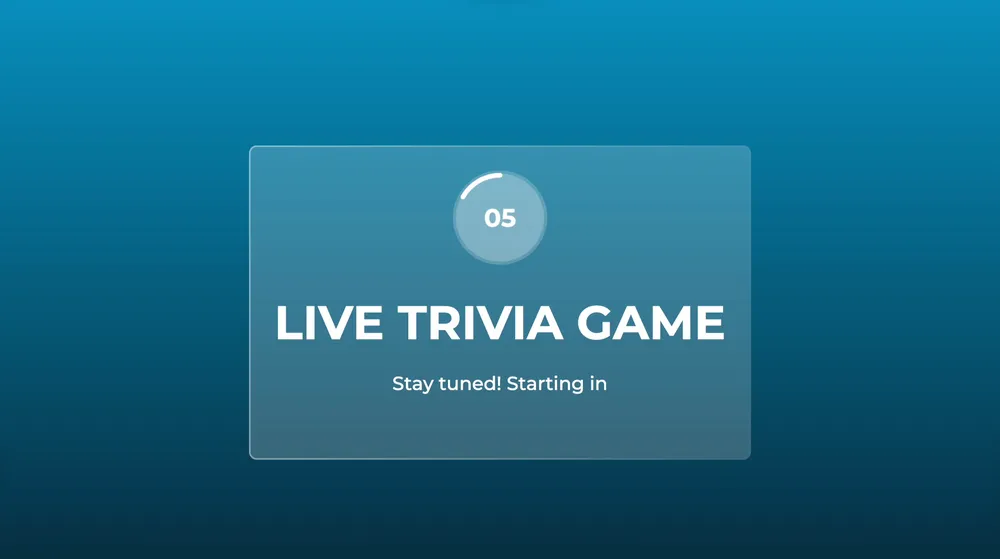
Start screen
A countdown before the first question, so a viewer who joins late does not miss it.
-
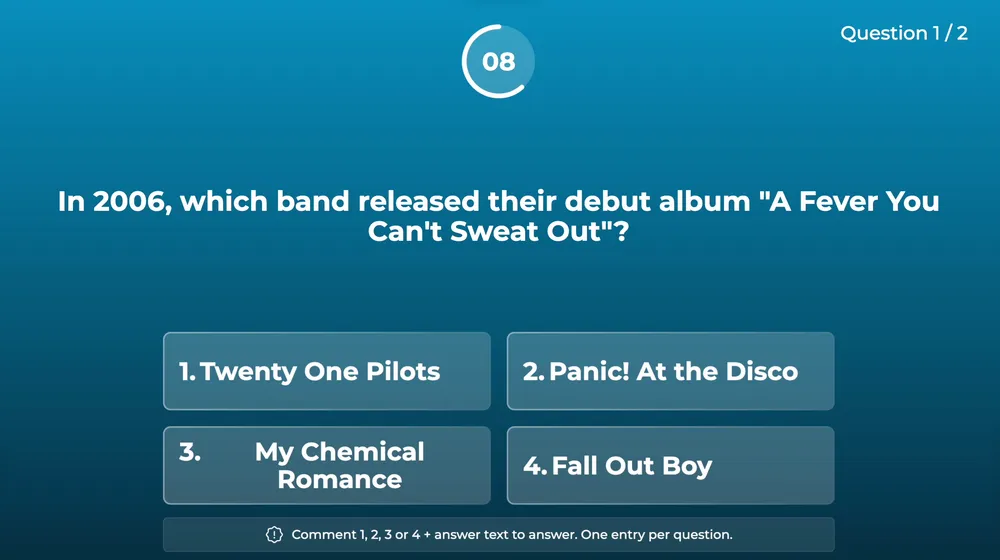
Question screen
The question, its options and the timer.
-
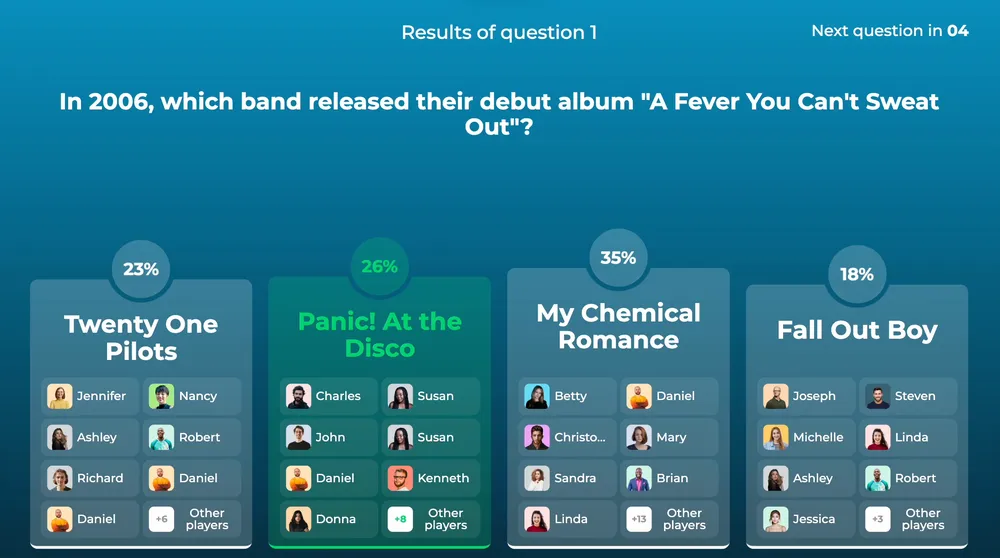
Results screen
The correct answer, and which option each viewer picked.
-
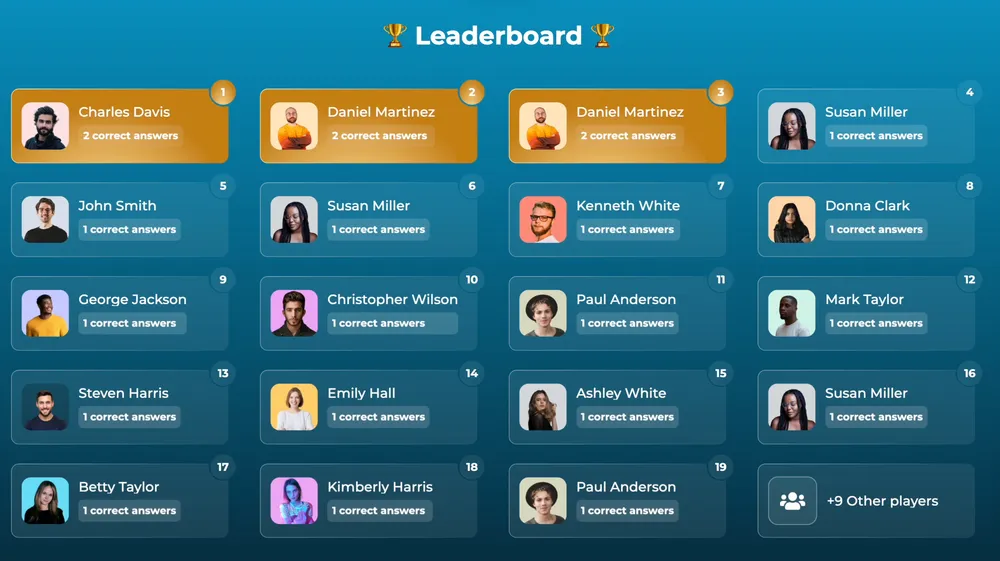
Leaderboard
The winners and the other players, with their scores.
3M+ live streams, 39K+ happy customers.
What they say about our trivia game.

“The different live stream formats LiveReacting provides have engaged our community with practical, intuitive, and fun trivia games & giveaways.
We plan to use these tools to expand our content creation even more in the future.”
 Luisa & MatLive Content Team at Hobbii
“LiveReacting is an amazing tool for interactive games on your live stream.
You can create all sorts of live games to play with your audience. It is really easy to set up and use.”
 Michael Feyrer Jr.Live Streaming Expert & YouTube Entrepreneur
“The most amazing thing about this software is that you can update your stream on the fly. You can change branding, add pre-recorded videos and all from the cloud.
And then of course all the interactive tools like the countdowns, polls, trivia games are just so cool.”
 Geoffrey E.Chief Content Officer at a marketing agency
“This software checks all the boxes of exactly what I need for my YouTube livestreaming.
The UI is fantastic and very easy to use. It seems other platforms all have one or a few features missing that ruin it, but LiveReacting has had everything I need.”
 Jesse E.YouTube content creator
“I was amazed at how easy it was to set up a 24/7 stream.
The templates are a great starting point, and the dashboard is so intuitive. I had a professional-looking, continuous stream running in no time!”
 Kirk NugentVideo/Content Coach
Picked from 3,783,009 live streams.
Trivia games our customers ran.
Start from a trivia template.
A ready-made trivia project for one occasion. Open it, keep it as it is or change what you need, and go live without building anything from scratch.
-
 Open template
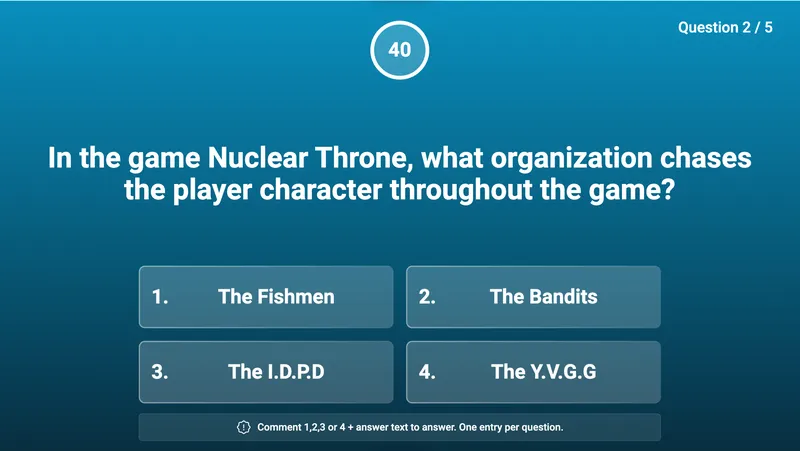
A question and four options on a clean background, the answers from the chat.
Simple trivia game
Open template
A question and four options on a clean background, the answers from the chat.
Simple trivia game
-
 Open template
The question beside your camera, so you read it out and react to the answers.
Trivia game with host
Open template
The question beside your camera, so you read it out and react to the answers.
Trivia game with host
-
 Open template
The question over your camera, in the Modern design.
Modern trivia game with host
Open template
The question over your camera, in the Modern design.
Modern trivia game with host
-
 Open template
The host version in portrait, for a phone screen.
Trivia game with host (mobile)
Open template
The host version in portrait, for a phone screen.
Trivia game with host (mobile)
-
 Open template
The simple version in portrait, for a phone screen.
Simple trivia game (mobile)
Open template
The simple version in portrait, for a phone screen.
Simple trivia game (mobile)
-
 Open template
Bible questions already written, with the host on camera.
Bible trivia game with host
Open template
Bible questions already written, with the host on camera.
Bible trivia game with host
-
 Open template
Halloween questions on a Halloween background.
Halloween trivia
Open template
Halloween questions on a Halloween background.
Halloween trivia
-
 Open template
A second Halloween design, with ghosts.
Halloween trivia 2
Open template
A second Halloween design, with ghosts.
Halloween trivia 2
-
 Open template
A Black Friday game with a marquee start screen.
Black Friday trivia
Open template
A Black Friday game with a marquee start screen.
Black Friday trivia
-
 Open template
Christmas questions on a snowy red background.
Christmas trivia
Open template
Christmas questions on a snowy red background.
Christmas trivia
-
 Open template
A Black Friday game in the dark design.
Black Friday trivia
Open template
A Black Friday game in the dark design.
Black Friday trivia
What people run a trivia game for.
A quiz fits any live stream with viewers in the chat. Six uses, each with a page or a guide to start from.
-
A quiz show for your followers
A round of questions every week, with the leaderboard at the end, on the channel your viewers already watch.
See the trivia templates -
A product launch with prizes
Questions about your product, a prize for the winners, and every answer a comment on your own post.
See customer results -
A Bible quiz after the service
The Bible trivia template, with its questions already written.
See church live streaming -
A class recap
The lesson's questions as a quiz at the end, answered by every student in the chat.
Read the classroom quiz guide -
A quiz with a co-host
Invite a guest from a link. They read the questions with you while the game keeps the timers.
See guests in a live stream -
A quiz inside a 24/7 or pre-recorded stream
A trivia round between the videos of a channel that runs on its own. Every game runs in every kind of stream.
See pre-recorded live streaming
How to set up a trivia game.
Frequently asked questions.
How do viewers answer the questions?
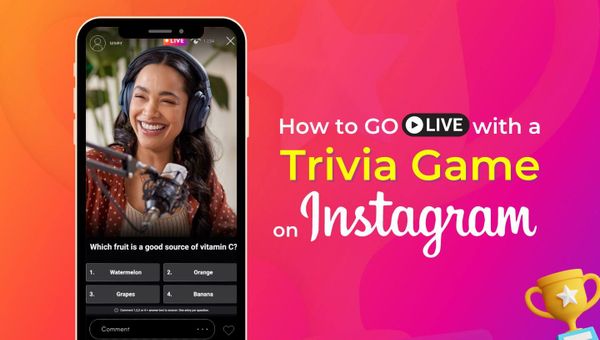
They type a comment in the live chat: the option number, or the answer itself. LiveReacting reads the chat on YouTube, Facebook, Twitch and Instagram and keeps each viewer's first answer.
Do viewers have to download anything?
No. They play in the live chat they are already watching. There is nothing to download and no page to open.
Can I write my own questions?
Yes. Type them in the studio, pick them from the LiveReacting library by category, or import an .xlsx spreadsheet. A question can carry a picture or a short video.
How are the winners chosen?
You pick the rule: by correct answers, by score, or by both. Score rewards a faster answer. Knockout Mode drops a player after a wrong answer, so only the players who were right so far stay in the game. Read how the winners are calculated.
Does it show a leaderboard?
Yes. After every question, viewers see the correct answer and who got it. At the end, the leaderboard names the winners and lists the other players. You set how many winners it names. Read how to show every participant.
Can I see the results after the game?
Yes. Your account keeps every game's analytics: each question with its accuracy and average response time, each player with their score and correct answers, and the leaderboard with a public link you can share. The Help Center explains every figure.
What platforms can I stream to?
YouTube, Facebook, Twitch and Instagram by signing in, and TikTok, LinkedIn, Kick, X or any other platform that takes a stream key. Where a platform has no chat LiveReacting can read, viewers answer on a separate play-along page instead.
Can you build a custom game for me?
Yes. If the templates and the settings are not enough, our team builds a custom game for an additional price. Ask through the Enterprise page.
Can I use it with OBS, vMix or StreamYard?
Yes. Plugin Mode gives you a link to add to your scene as a browser source, and the game appears over your video on a transparent background. Plugin Mode is not on the free plan; the pricing page lists which plans have it.
Can I schedule the game in advance?
Yes. Set a date and time for the stream to start, or attach it to a live event you already scheduled on YouTube or Facebook. You can also start the game in the middle of a stream that is already live.
How many players can join?
Each plan lists a number of participants, and the pricing page has the figure for every plan.
Can I change the design?
Yes. Pick the Classic, Modern or Elegant design, set the text color and a background image for each screen, and add your logo.
How to run a trivia game on a live stream
- To run a trivia game on a live stream, sign up for LiveReacting and create a project from a trivia template. Write your questions or pick them from the library, choose the design, and connect the YouTube, Facebook, Twitch or Instagram channel you stream to. Start the stream, or set a time for it, and viewers answer by typing a comment in the live chat.
-
- Create a project from a trivia template and add your questions.
- Choose the design and connect the channel you stream to.
- Start the stream, or set a time for it, and viewers answer in the chat.
-
 Written and reviewed by the LiveReacting Streaming Team. Powering live streams since 2016. See customer results.
Last updated: September 2026
Written and reviewed by the LiveReacting Streaming Team. Powering live streams since 2016. See customer results.
Last updated: September 2026
What you need to run a trivia game
- One LiveReacting account You create the project and start the stream from your account. What each plan includes is on the pricing page. See pricing.
- A channel to stream to Sign in to your YouTube, Facebook, Twitch or Instagram channel from the project, or paste the stream key of any other platform.
- Your questions Type them, pick them from the library, or import a spreadsheet.
Run your first trivia game.
Create a project from a trivia template, write your questions, and start the stream. Viewers answer in the live chat.
- No credit card
- 4.8 from 633 reviews
Want the numbers first? See pricing